Install the FolioReady app in your Attio workspace and the widgets appear on both. See how in the Attio guide.
Connecting...
Send a Document Request Without Leaving Attio
You live in Attio. The Person record is where your day happens — notes, deals, the whole relationship. Document collection lives in another app you open maybe once a week, so when a client needs to send something in, you message the ops team — "can you fire off the onboarding request to this person?" — and wait for someone else to do it. The FolioReady panel closes that gap. It sits on every Attio Person, and from it you can do the whole thing yourself.
The Panel Is Just There
- FolioReady
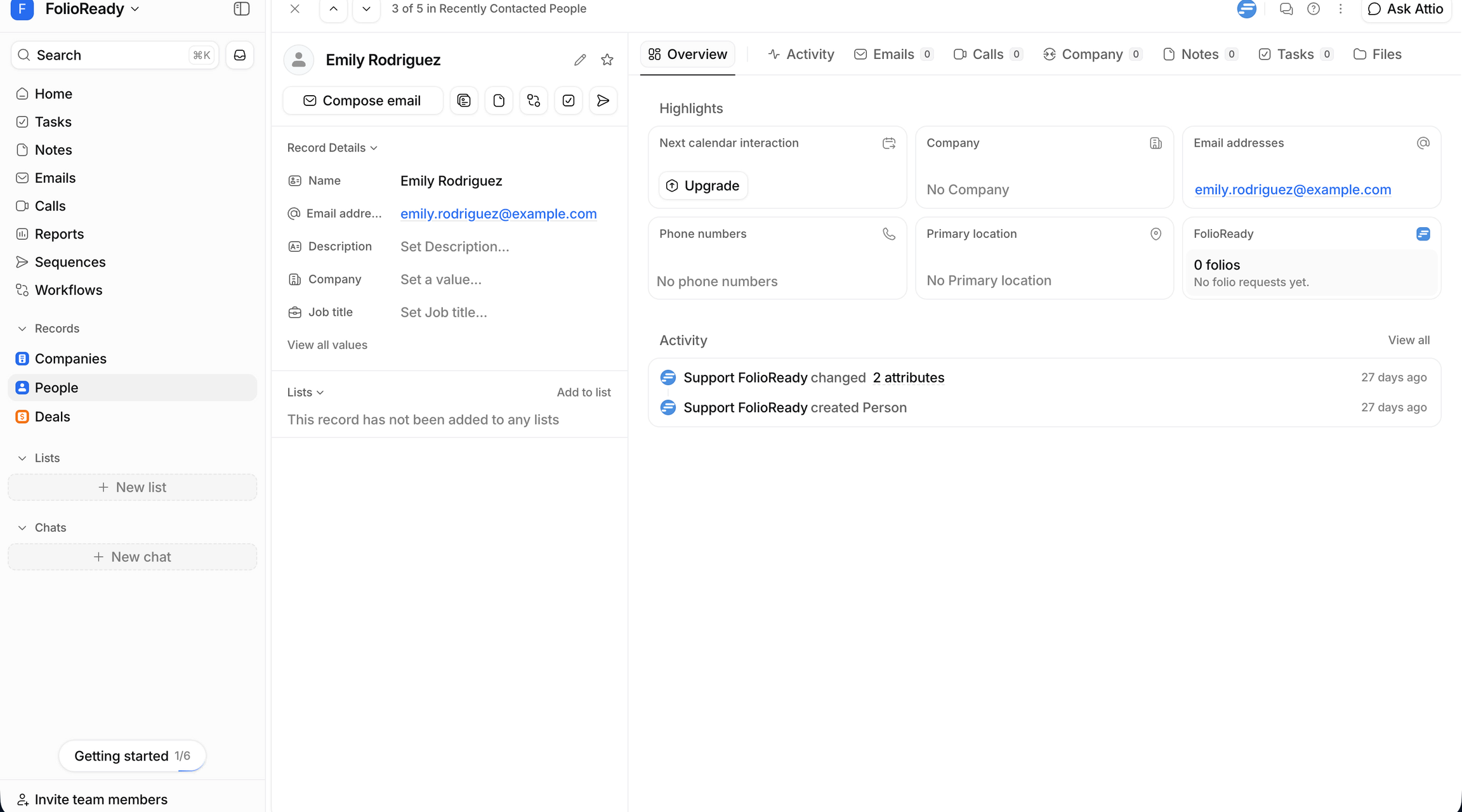
Every Person record in Attio carries a FolioReady panel. You don't go looking for it — it's already there next to the record you were reading.
For a linked client it shows where things stand at a glance: how many folios they have, the most recent request, and its status. No tab switch to find out whether the onboarding pack ever came back.
Link a Person in One Click
- You
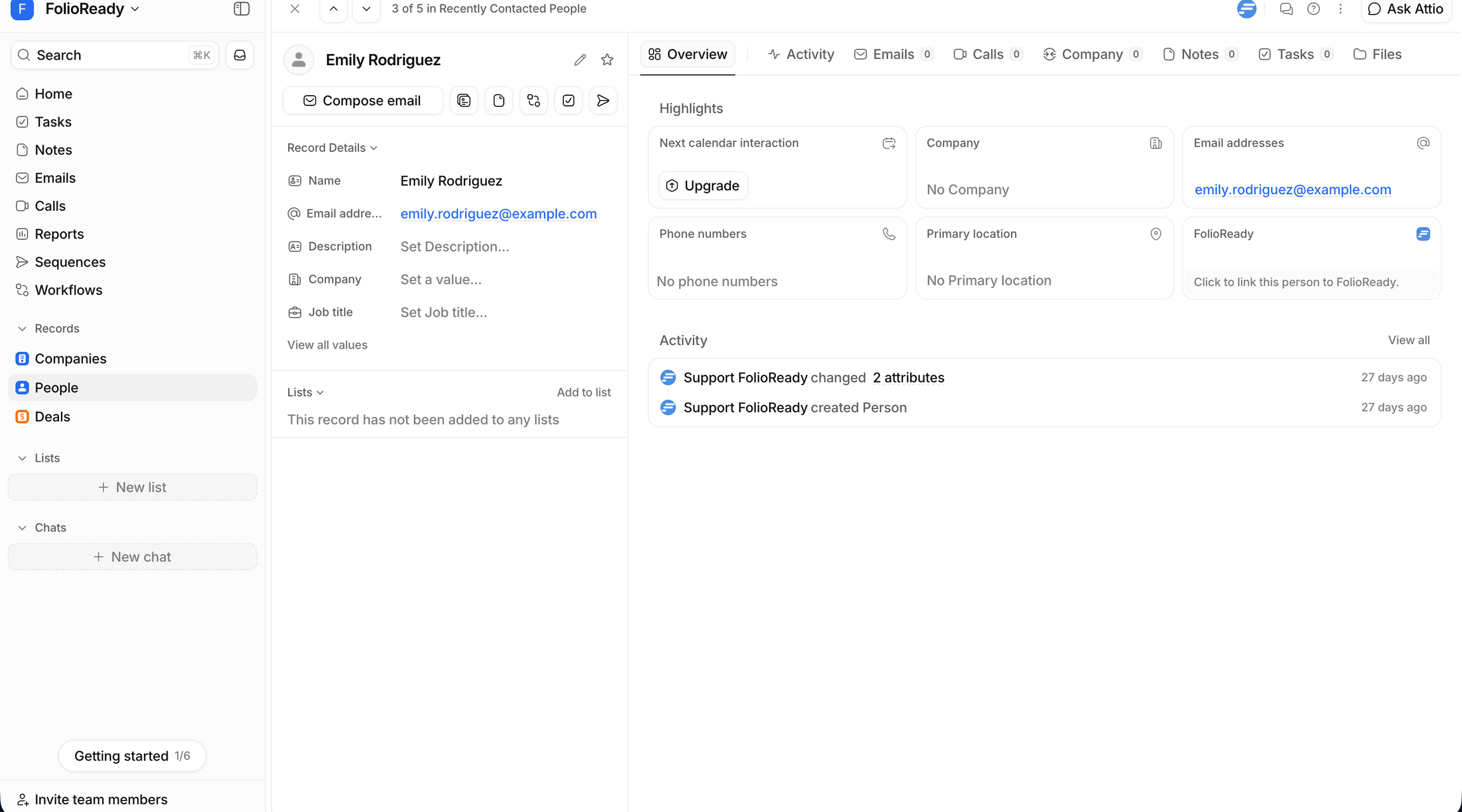
Looking at someone who isn't in FolioReady yet? The card reads Click to link this person to FolioReady, and the card itself is the button. One click matches them to an existing client by email, or creates one. No forms, no switching apps. It needs an email address on the Person to work — without one, the card asks you to add it first.
Send the Request — From Attio
- You
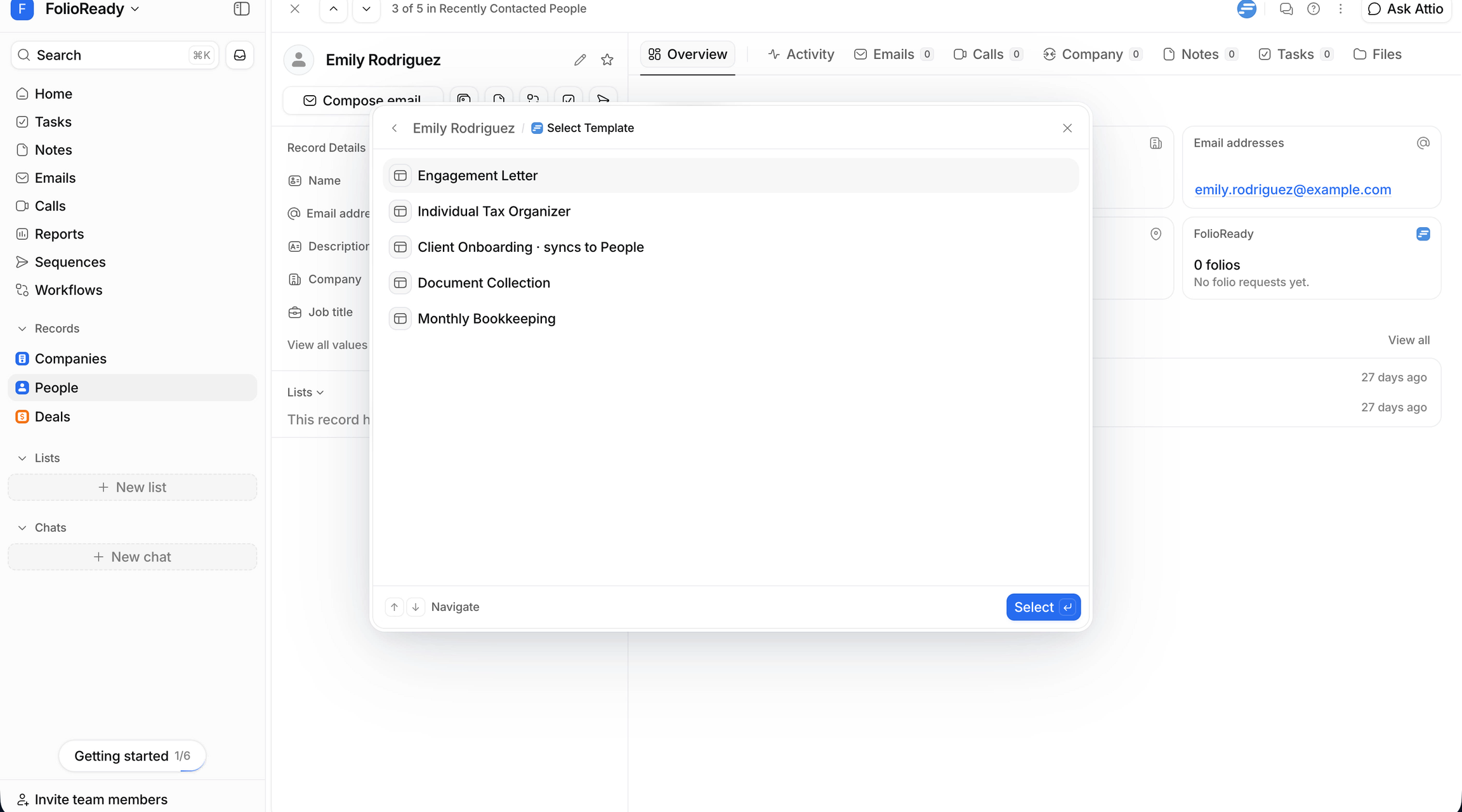
Now the part you used to hand off. Click Request Documents and pick a template — onboarding, engagement letter, whatever they need.
- You
Work the deal, request from the deal
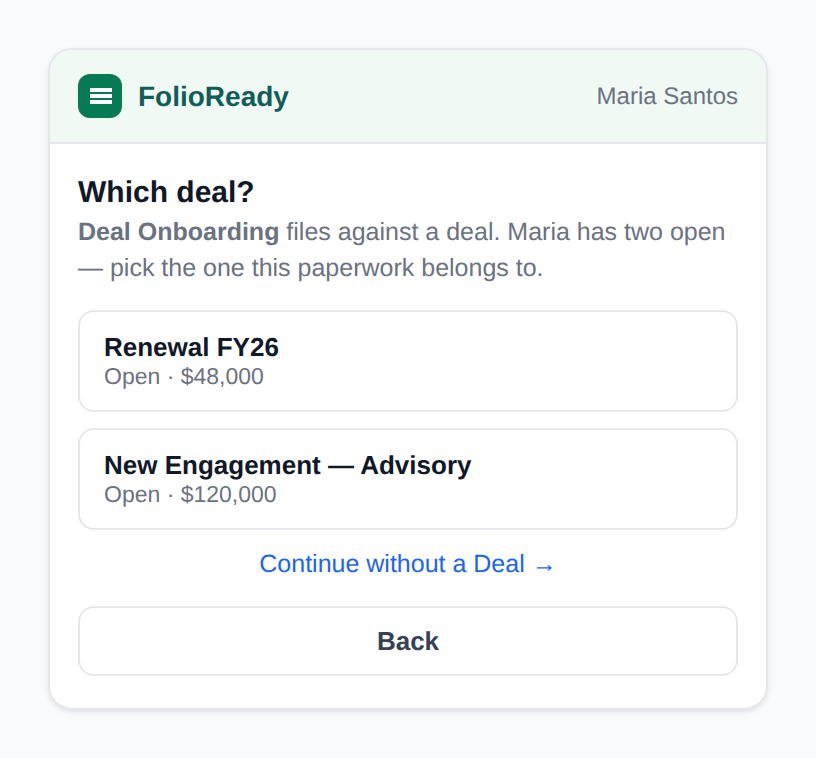
Some paperwork belongs to the deal rather than the person. Open the deal, and the widget there offers the templates that file against a deal — no picking, no guessing, because the deal you're standing on is the one it files against. If more than one person is on the deal, it asks which is the primary client, since that's who the request is emailed to.
- You
One last look before it sends
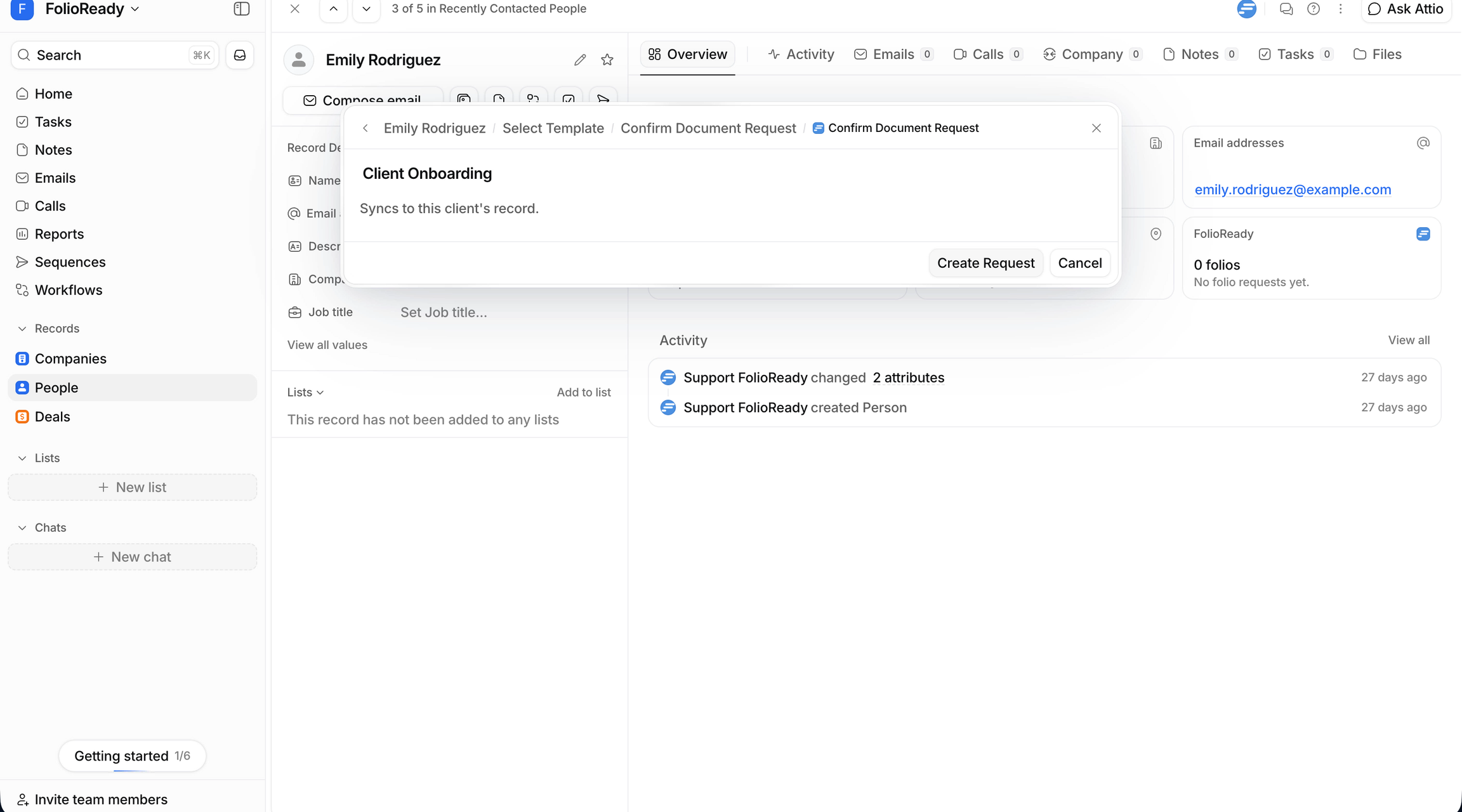
Creating the request emails your client, so it's never a side effect of clicking around. The last screen shows exactly what's about to go out and where it will file. Create Request sends it; Cancel leaves no trace.
- The result
The request is on its way, and the panel already lists it as the most recent. You never left the Attio tab, and you never messaged ops.
When You Need the Full Picture, Jump Across
- FolioReady
Need more than the summary? Open most recent in FolioReady is a one-time login link — it drops you straight into the folio in FolioReady, already signed in, in a new tab.
What Changes for Your Team
The people who live in Attio stop waiting on the people who live in FolioReady. Linking, checking status, and sending a request are all one click from the Person record — with Attio already connected, the panel is the last piece.
Put FolioReady on your Person and Deal records