Import the organizer and send your first request before the W-2s land. Use this template
Connecting...
Collect a Complete Tax File on the First Pass
Tax season dies by a thousand follow-ups: the W-2 arrives but not the 1099, the receipts come as one blurry photo, and the prior-year return shows up in April. The Individual Tax Organizer pairs a filing questionnaire with a named document checklist — here's what a season with it actually looks like, for one real client file.
Meet Marcus Bell
Marcus is a logistics manager in Chicago — married filing jointly with Lisa, two kids, a mortgage, some Vanguard funds, and an HSA. His tax file comes from five different places: his employer's W-2, two 1099s, the lender's 1098, and a shoebox of donation receipts. Last season his accountant assembled all of it from email threads. This season, they sent him one link.
Filing season opens
- You
You create Marcus's folio from the Individual Tax Organizer and send the request — one link covering the filing questionnaire and the full document checklist.
- FolioReady
FolioReady emails Marcus the request and starts the reminder schedule — if he stalls, the nudges are automatic.
Marcus works down the checklist
- Your client
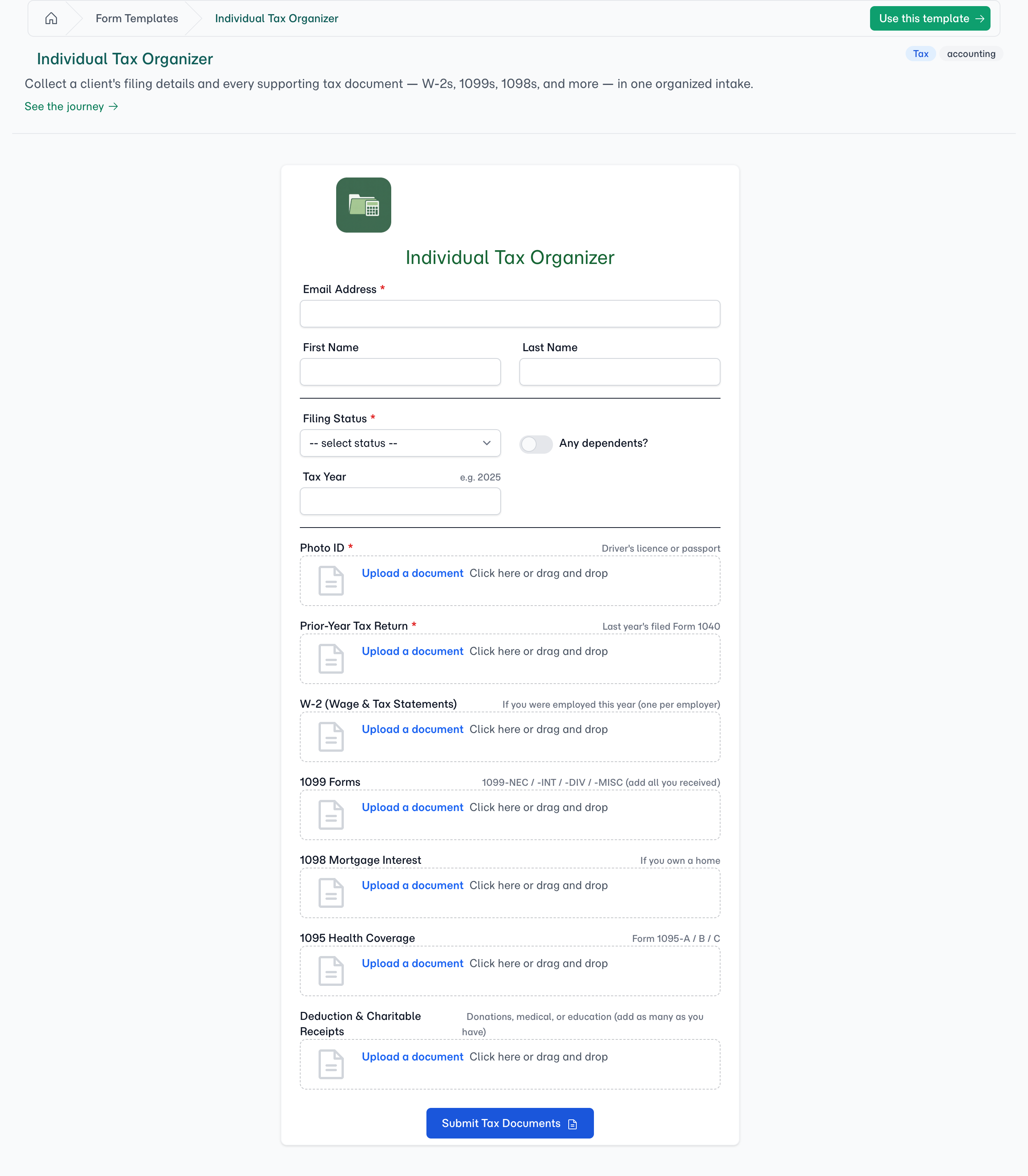
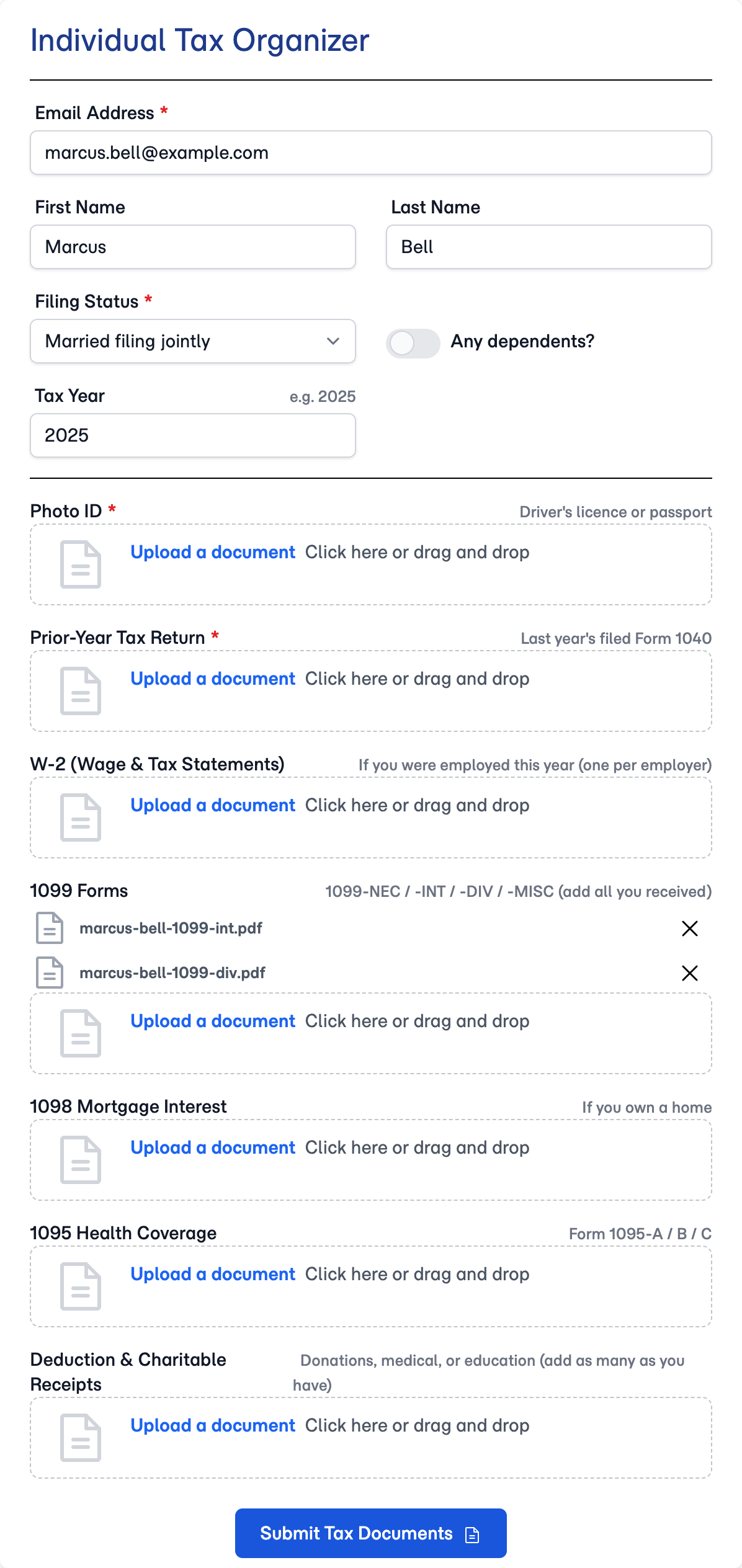
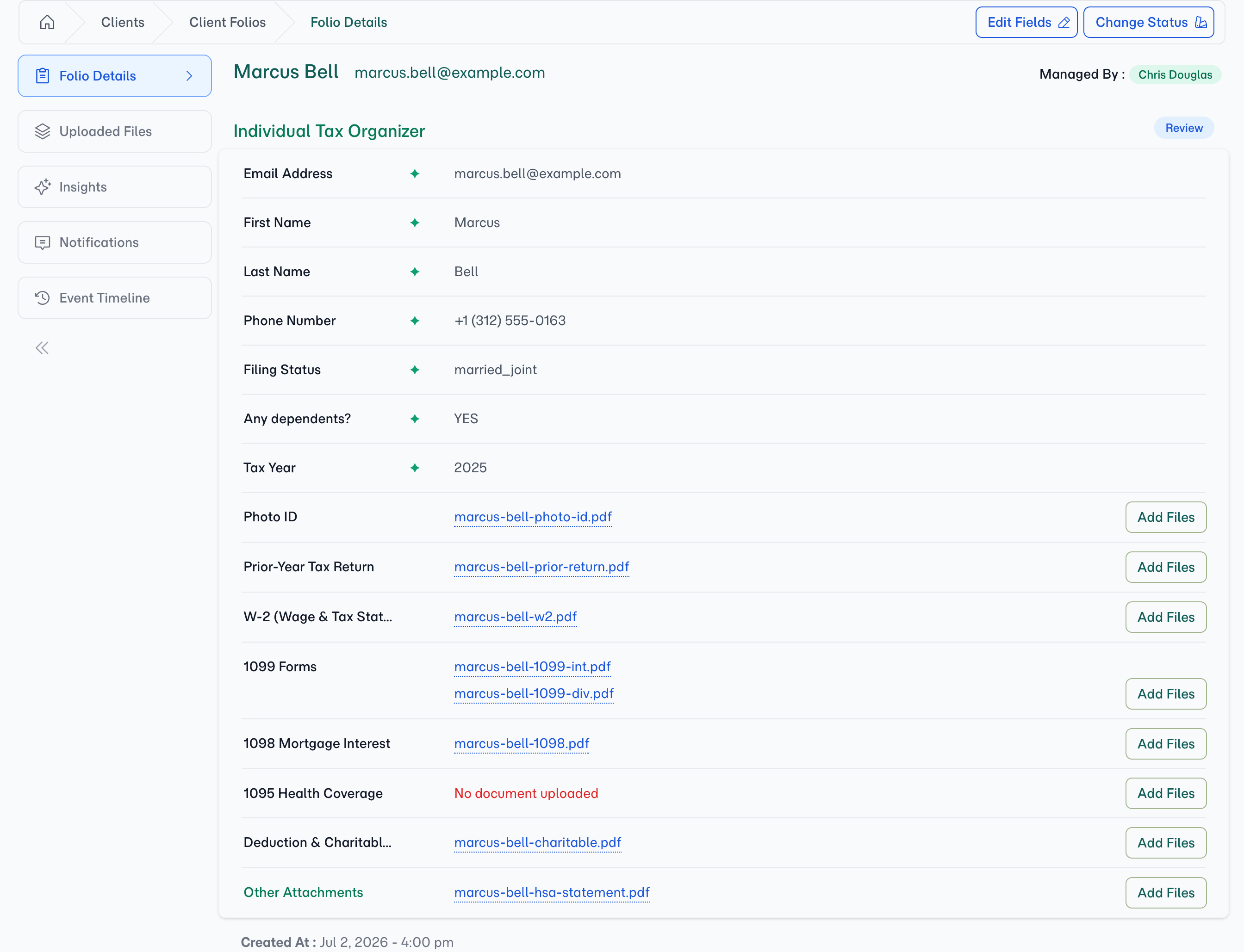
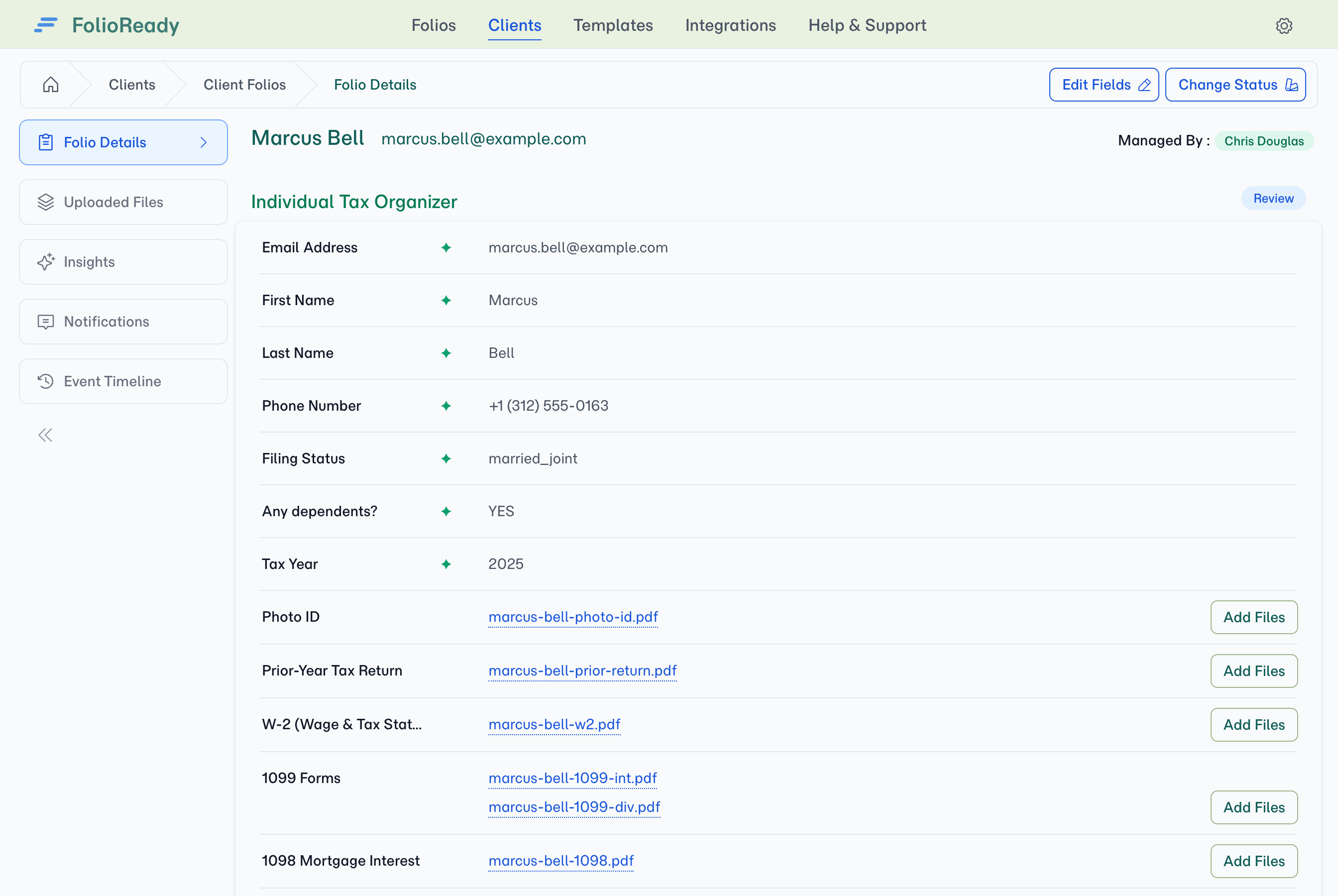
Marcus opens the link that evening. Filing status, dependents, tax year — then the checklist: photo ID, prior-year return, W-2, 1099s, mortgage interest, receipts, each into its own labelled slot.
- Your client
His two 1099s — bank interest and Vanguard dividends — go into the same slot; it's marked to take a stack.
What happens when Marcus emails in his HSA statement?
- Your client
A week later, HealthEquity emails Marcus his HSA year-end statement. He forwards it straight to the folio's collection address — no portal visit, no login.
- FolioReady
FolioReady catches the email and files the attachment onto Marcus's folio.
- AI
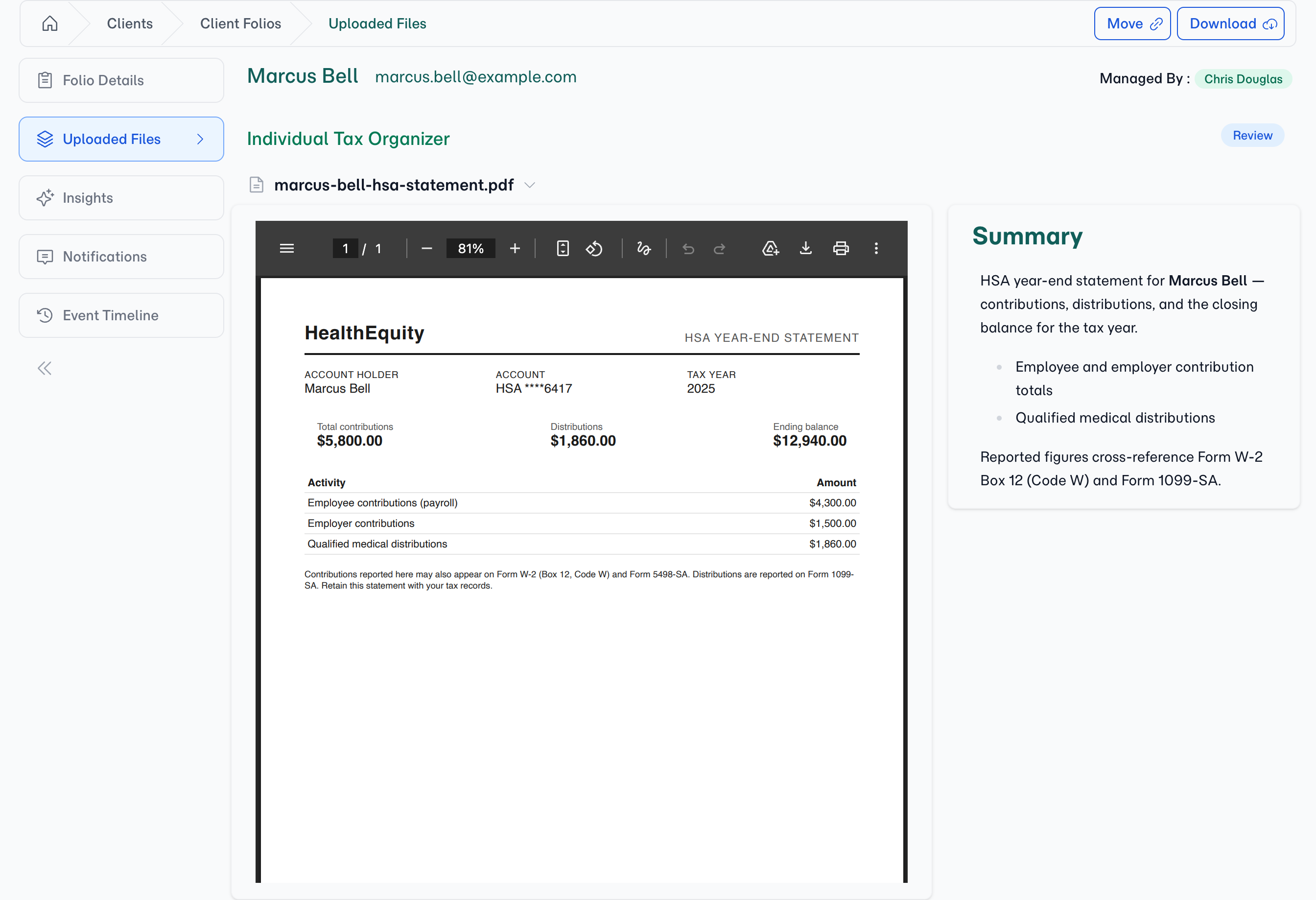
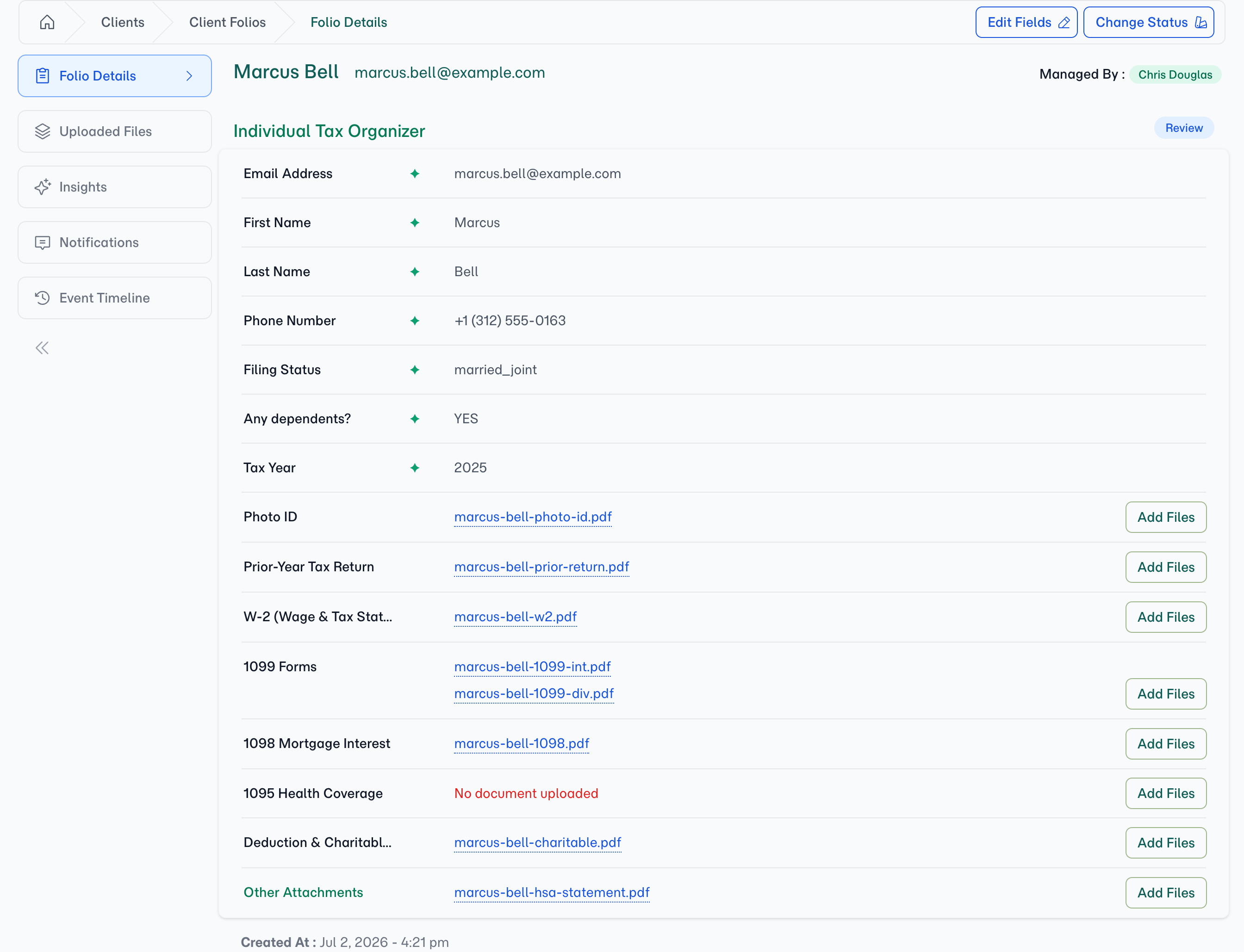
AI reads the statement and writes its synopsis, and the file lands under Other Attachments. Nothing files a document into a slot on its own — so the checklist never claims a requirement you haven't confirmed, and the statement waits for your judgement with a summary already attached.
- You
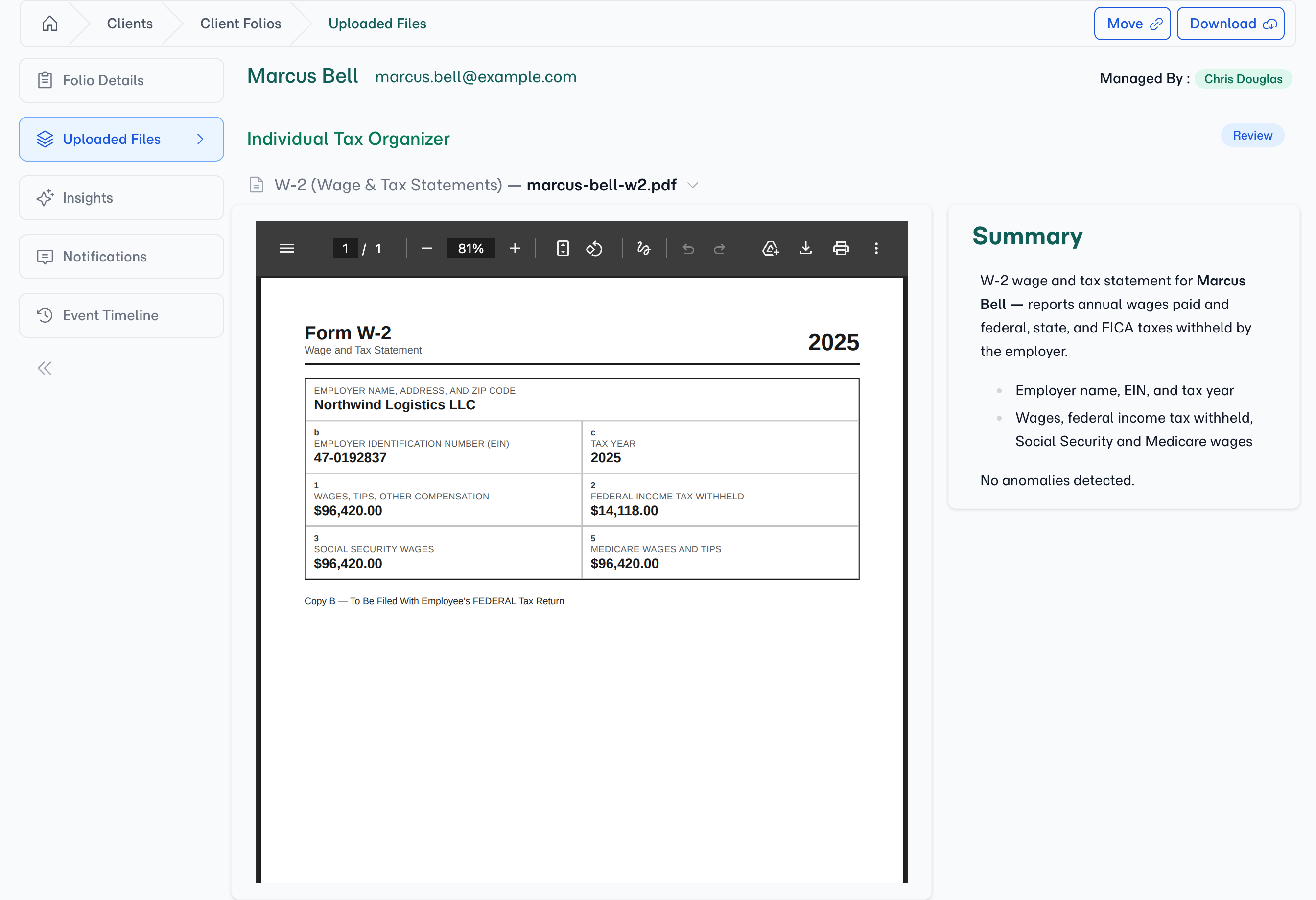
You glance at the synopsis, see exactly what it is, and leave it where it belongs — or Move it into any slot in two clicks.
AI reads everything Marcus sends
- AI
Every file Marcus sent — uploaded or emailed — has already been read. Each document carries a one-paragraph synopsis, so you know exactly what it is without opening it.
- AI
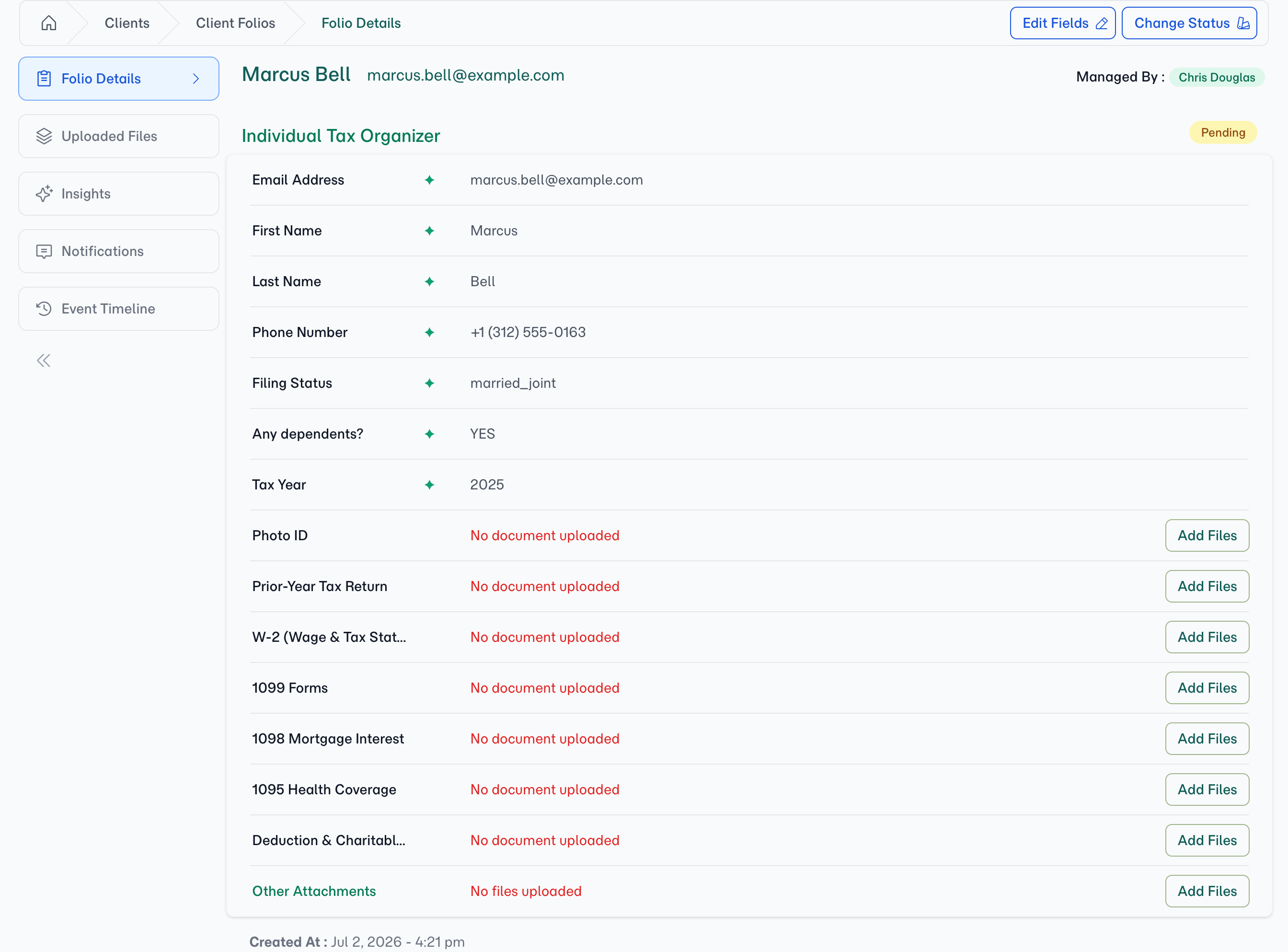
It also checks Marcus's filing answers against the documents themselves — the green ✦ marks every answer verified from a source document.
Reviewing the file
- You
End of the week, you open the folio. The checklist is the status report: every slot filled except 1095 Health Coverage — still red, still honest.
- You
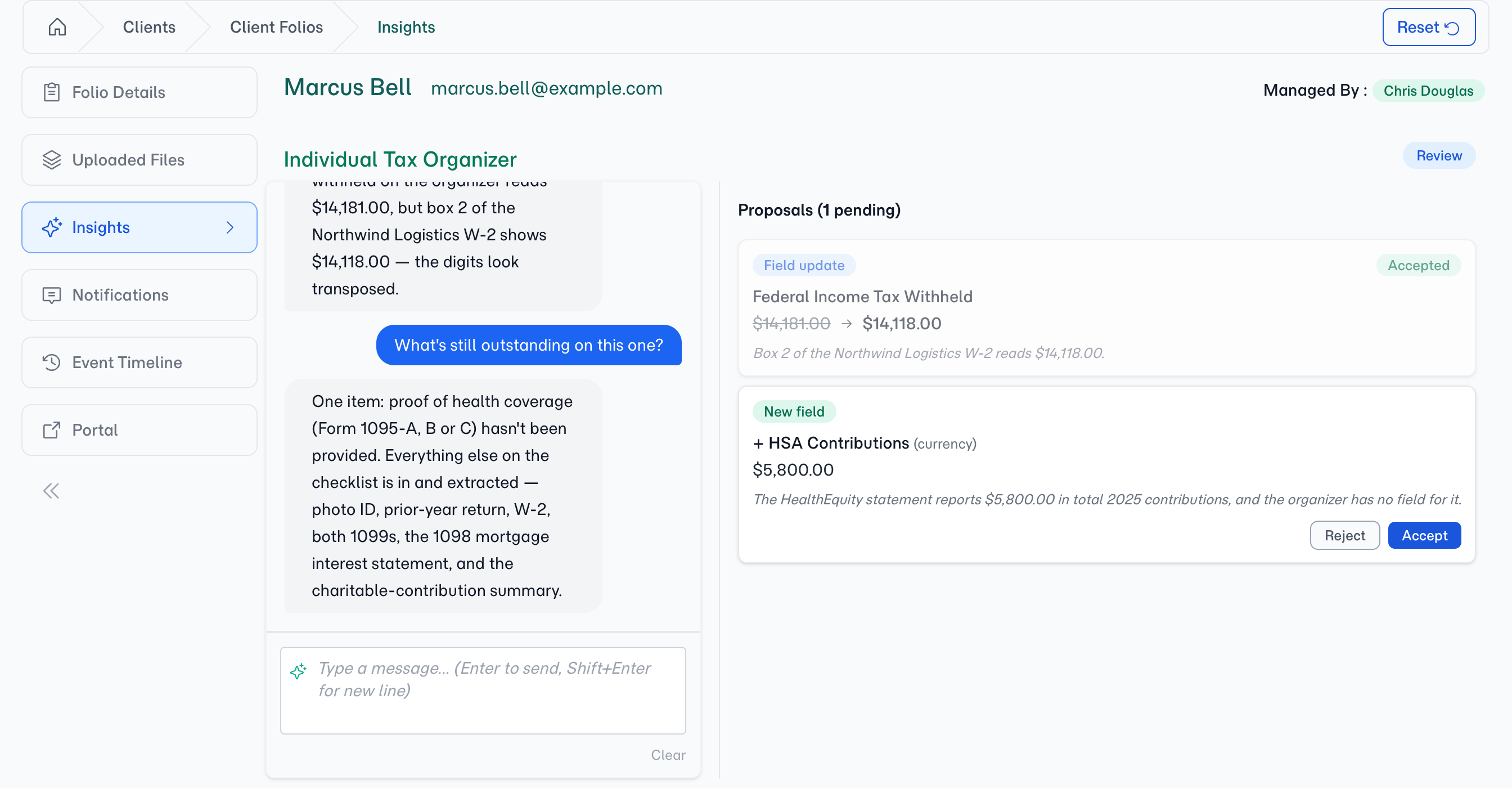
Not sure you've caught everything? Ask the folio itself — one click on What's missing? in Insights.
- AI
AI answers from everything it has read: the 1095 Health Coverage slot is still empty — and every answer the documents support is already captured.
- FolioReady
Reminders keep chasing the 1095 so you don't have to.
- The result
A complete, pre-sorted tax file — every document at its slot with a synopsis, the questionnaire in structured fields, and the one real gap visible at a glance.
What You're Left With
A folio per client where the checklist is the status report: filled slots are done, empty slots are what's missing. Each document carries a synopsis, the questionnaire answers are structured data, and a misfiled document is a quick Move to the right slot.
Make this tax season the organised one